Recommendations
The Recommendations dashboard provides actionable insights to reduce cloud costs by identifying inefficiencies, unused resources, and optimization opportunities.
Recommendations are generated using AWS Cost and Usage Reports (CUR) and may have a data latency of up to 48 hours. Always validate before applying changes.
Overview

The top section provides a quick snapshot of:
- Total Savings → Overall potential savings identified
- Highest Savings → Maximum savings from a single recommendation
- Active Recommendations → Total actionable items available
Additionally, a highlight card surfaces high-impact opportunities (e.g., EC2 migrations) with direct savings visibility.
Recommendation List
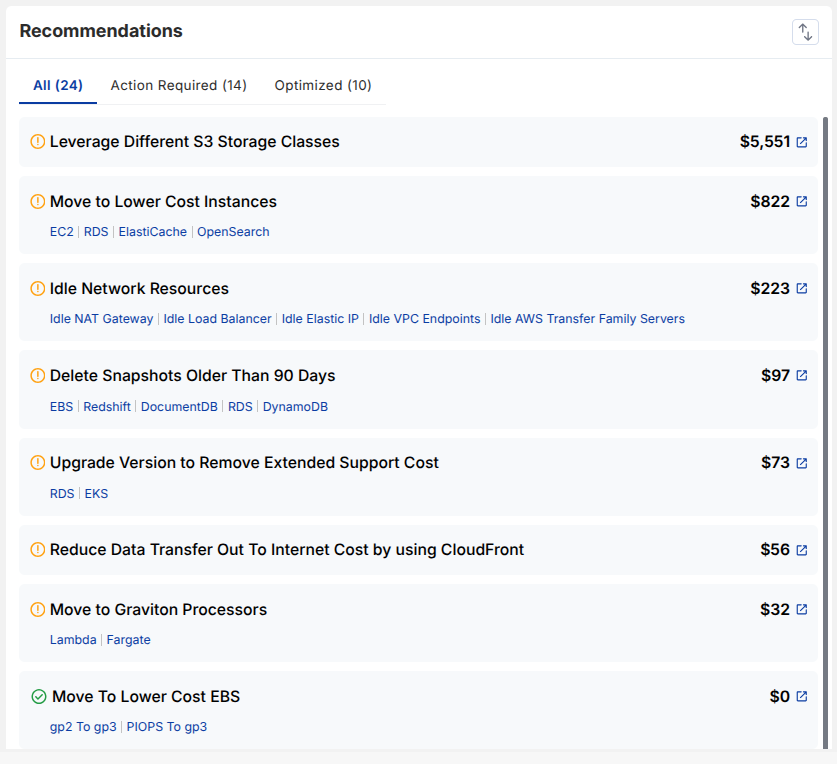
Recommendations are grouped into:
- All → Complete list
- Action Required → Items needing attention
- Optimized → Already implemented or resolved
Each recommendation includes:
- Title and affected services
- Estimated savings
- Direct navigation to detailed view
This allows quick prioritization based on savings and urgency.
Savings Distribution
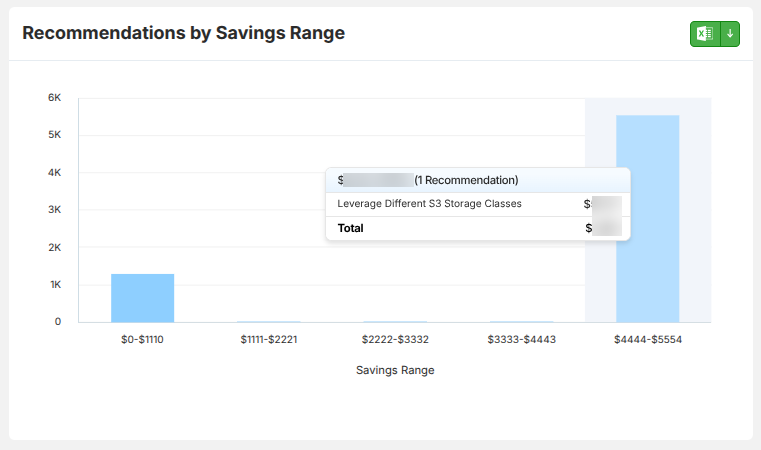
The savings range chart groups recommendations based on potential savings brackets.
This helps:
- Identify high-value opportunities
- Understand distribution of savings
- Focus on impactful optimizations first
Category-wise Overview
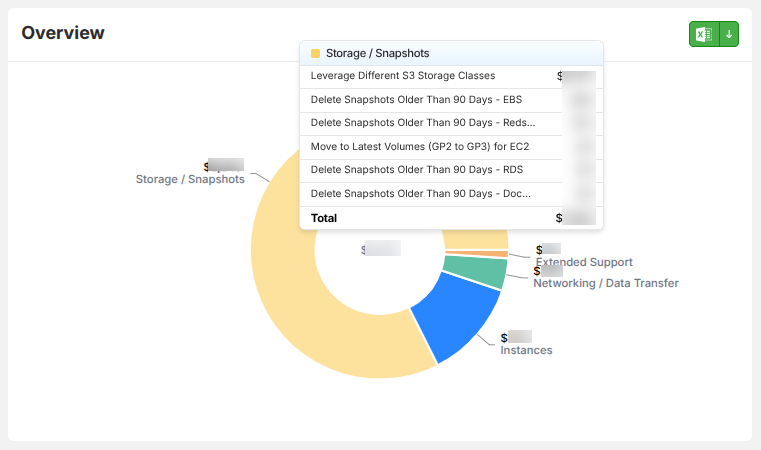
Recommendations are also categorized by cost areas such as:
- Storage / Snapshots
- Compute / Instances
- Networking / Data Transfer
- Extended Support
Each segment shows:
- Contribution to total savings
- Underlying recommendations within that category
Recommendation Details
Clicking on any recommendation opens a detailed breakdown:
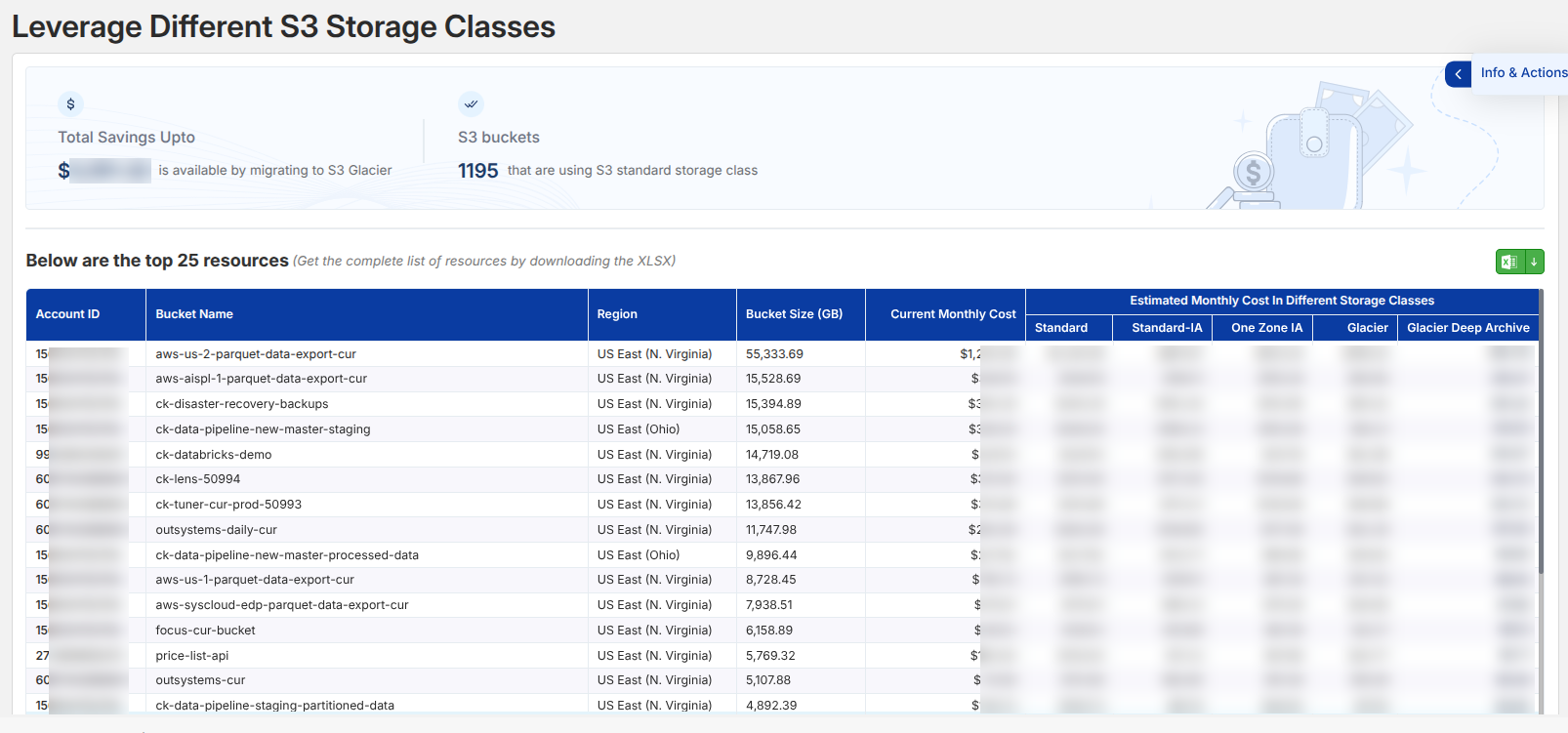
Each detail view provides:
Savings Insight
- Estimated savings potential
- Scope of impacted resources
Resource Breakdown
- Resource-level data (e.g., bucket size, region, usage)
- Current vs optimized cost comparison
Optimization Options
- Alternative configurations (e.g., storage classes, instance types)
- Cost differences across options
Example Use Cases
Storage Optimization (S3)
- Identifies buckets using Standard storage only
- Suggests transitions to:
- Standard-IA
- Glacier
- Deep Archive
Helps reduce storage costs based on access patterns.
Compute Optimization
- Recommends moving to:
- Lower-cost instance types
- Latest generation instances
- Graviton processors
Ensures better performance at reduced cost.
Idle Resource Cleanup
- Detects unused resources such as:
- NAT Gateways
- Load Balancers
- Elastic IPs
Removes unnecessary ongoing charges.