SpotBot (ECS Fargate)
The SpotBot feature in CloudKeeper Tuner helps you automate cost savings on ECS Fargate workloads by intelligently enabling Spot Instances with a 1:2 On-Demand tasks to Spot tasks.
If AWS reclaims Spot capacity, tasks run only on On-Demand to maintain availability. SpotBot monitors capacity continuously, as soon as it becomes available again, SpotBot will automatically bring your tasks back to Spot instances, ensuring you are always maximizing your savings without manual intervention.
It provides visibility into current usage, potential savings, and allows you to enable/disable SpotBot at the cluster or task level.
SpotBot Dashboard Overview
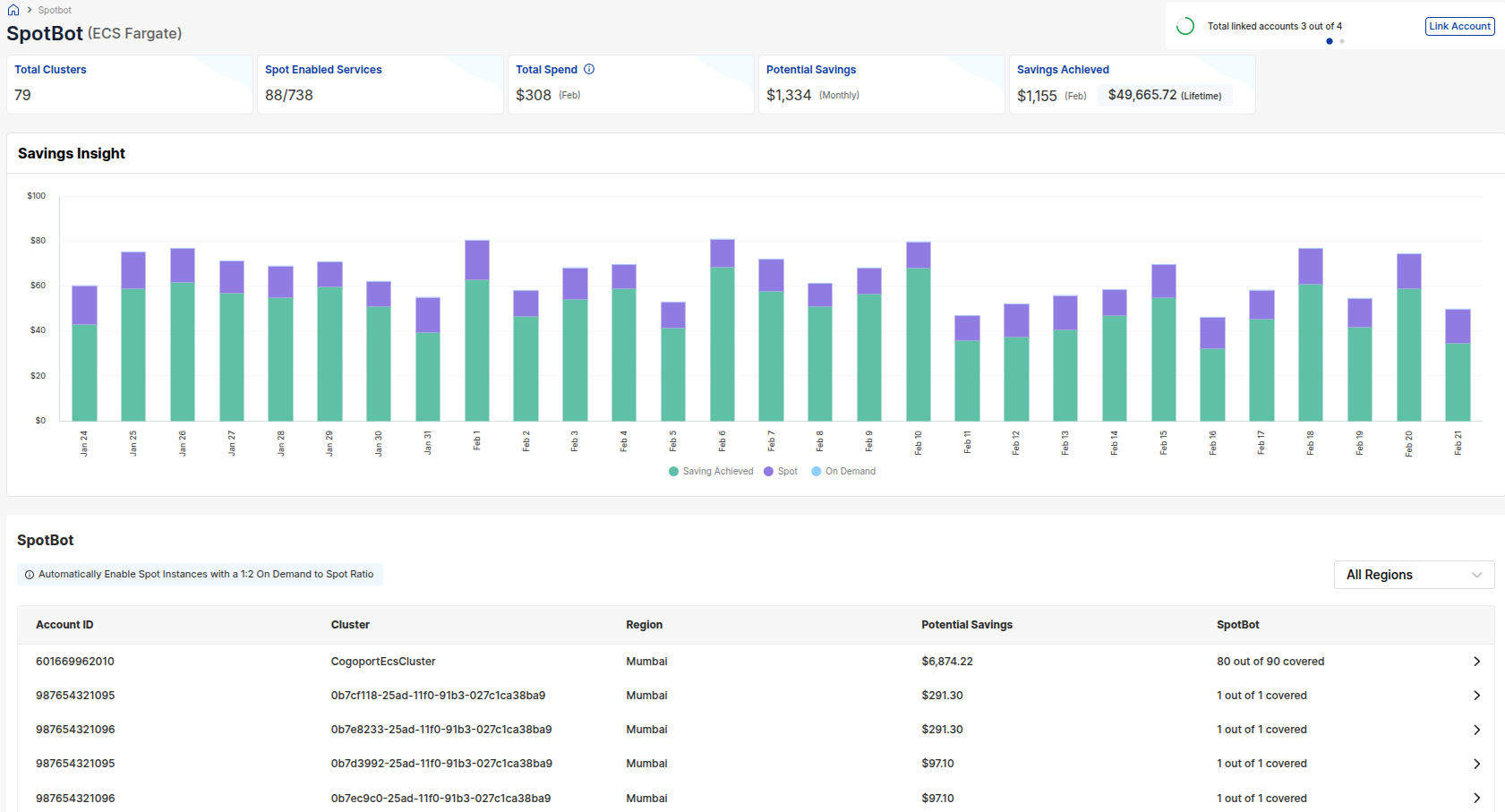
The SpotBot dashboard offers a high-level summary of SpotBot coverage, costs, and savings insights across your ECS environment:
- Total Clusters: Number of ECS clusters detected.
- Spot Enabled Services: How many services are running Spot Tasks.
- Total Spend: Current forecasted spend for ECS workloads.
- Potential Savings: Monthly savings you could realize by shifting to Spot.
- Savings Achieved: How much you’ve saved already, both this month and lifetime.

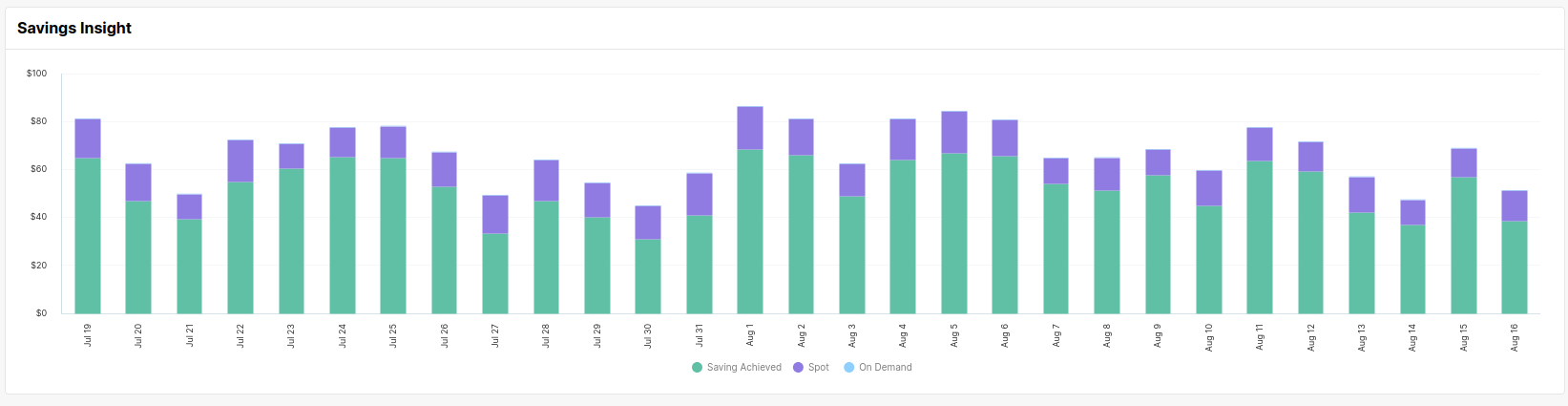
Savings Insight
Below the metrics summary, the Savings Insight graph provides a daily breakdown of:
- Savings Achieved (Green)
- Spot Spend (Purple)
- On-Demand Spend (Blue)
This helps you track your usage trends and the impact of enabling SpotBot over time.
Cluster-Level Details
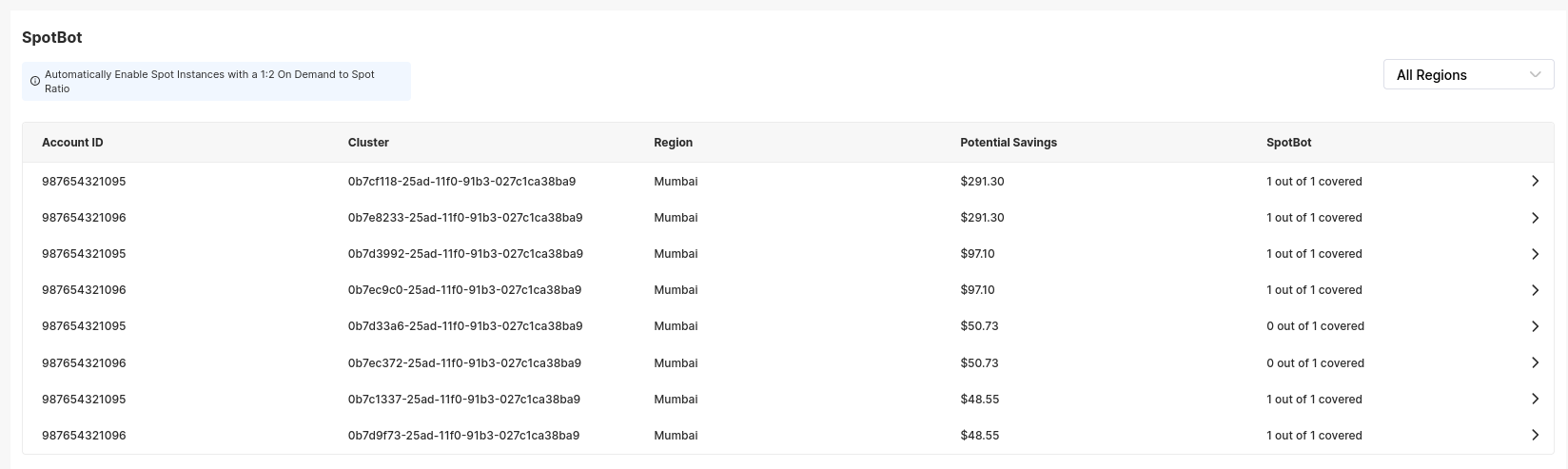
Each row in the SpotBot table displays:
- Account ID: The AWS account owning the cluster.
- Cluster Name/ID: ECS Cluster identifier.
- Region: AWS region.
- Potential Savings: Monthly savings opportunity for this cluster.
- SpotBot Status: Number of services within the cluster using Spot.
You can also filter clusters by region using the region dropdown.
Service-Level Configuration
Expanding a cluster reveals all associated ECS services. For each service, you’ll see:
- Service ID
- Total Tasks
- On-Demand vs Spot Task Count
- Potential Savings
- Enable/Disable SpotBot Toggle
This lets you quickly switch individual services to use Spot where appropriate.

How to Enable SpotBot
Follow these steps to configure and activate SpotBot for your ECS Fargate workloads:
1. Account Configuration
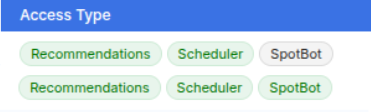
Ensure SpotBot is properly configured in the Tuner > Accounts section. Verify that the necessary access levels are granted to allow SpotBot to manage your tasks.
2. Access the SpotBot Dashboard
Navigate to the SpotBot Dashboard and scroll to the Clusters section to view your available ECS clusters.
3. Activate for Services
Expand a cluster to see its associated services. Click the toggle switch under the Enable SpotBot column to activate automated savings for that specific service.

Once enabled, SpotBot will intelligently manage your task distribution to maximize savings while maintaining availability.