Compliance Dashboard
The Compliance Dashboard provides a complete view of tagging compliance across your resources, helping you identify gaps, enforce standards, and track cost impact.
Overview
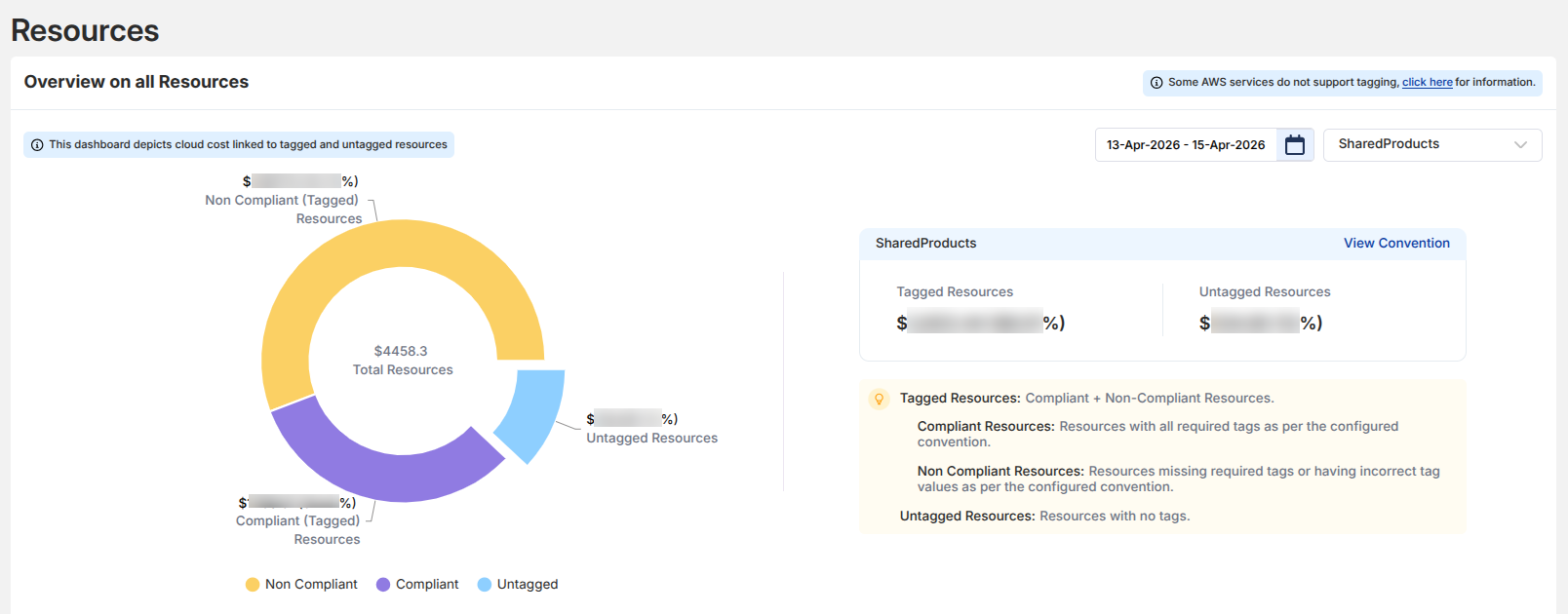
This section gives a high-level cost distribution of resources based on tagging:
- Compliant Resources → Correctly tagged as per conventions
- Non-Compliant Resources → Missing or incorrect tags
- Untagged Resources → No tags applied
This helps you instantly understand how much cost is properly governed vs at risk.
Cost Distribution
The donut chart visually represents:
-
Total cost split across:
- Compliant
- Non-Compliant
- Untagged
-
Example insights:
- A higher non-compliant percentage indicates governance gaps
- Untagged resources highlight visibility issues
Convention-Level Summary
Each convention (e.g., SharedProducts) shows:
- Tagged Cost
- Untagged Cost
- Quick access to: View Convention
Tagged vs Untagged Resources
Toggle View
You can switch between:
- Tagged Resources
- Untagged Resources
This acts like a live filter, not a separate page.
Tagged Resources Table
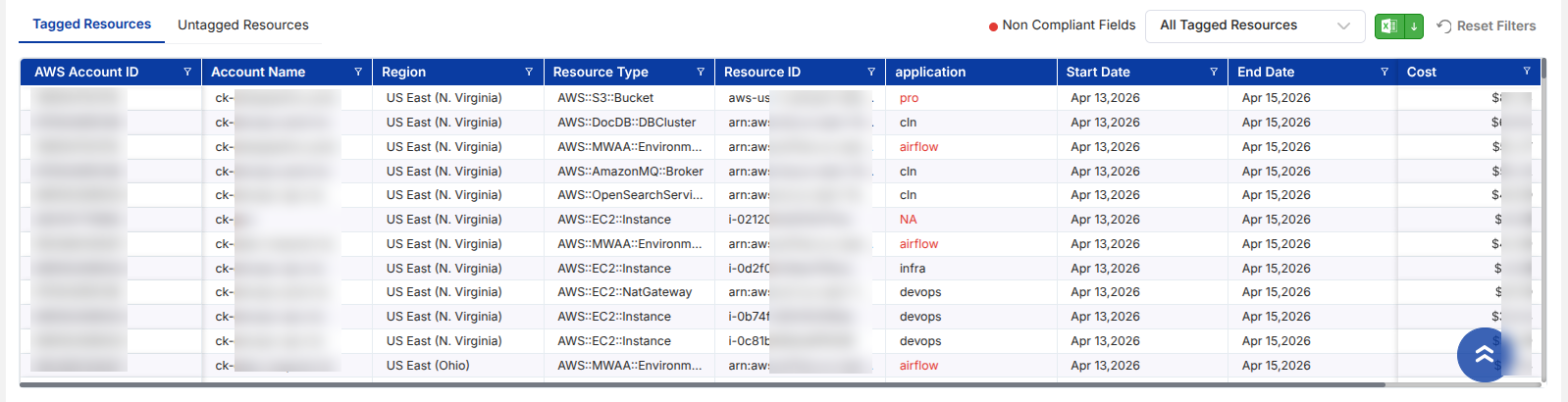
Shows:
- AWS Account ID & Name
- Region & Resource Type
- Resource ID
- Applied Tag (e.g.,
application) - Cost contribution
- Time range
Highlights:
- Missing/incorrect tag values appear as non-compliant fields
Untagged Resources Table
Displays resources that:
- Have no tags applied
- Still contribute to cost
- Need immediate tagging action
Filters & Controls
- Date Range Selector → Analyze compliance over time
- Convention Selector → Filter by specific tagging rules
- Export Option → Download data for analysis
- Reset Filters → Quickly clear applied filters
View Convention (Drill-down)
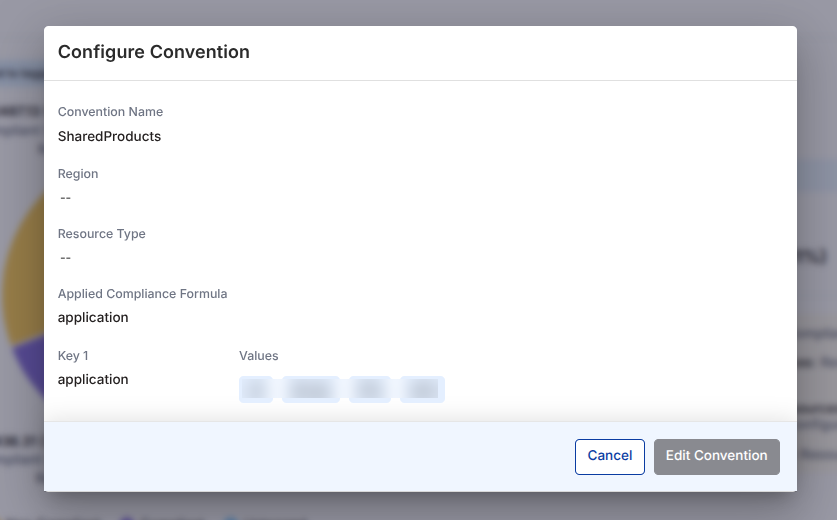
Clicking View Convention opens a detailed configuration:
- Convention Name
- Resource Scope (Region, Type)
- Applied Compliance Formula
- Required Tag Keys
- Allowed Values
Example:
- Key:
application - Values:
devops,test
This helps you:
- Understand tagging expectations
- Validate compliance logic