EC2 ASG Spot Protection
EC2 ASG Spot Protection helps optimize EC2 infrastructure costs by intelligently utilizing AWS Spot Instances for Auto Scaling Groups while maintaining workload availability and operational continuity.
Spot Protection automatically handles Spot interruption events by shifting workloads to On-Demand capacity when required and gradually restoring workloads back to Spot capacity once availability stabilizes.
Spot Protection Dashboard Overview
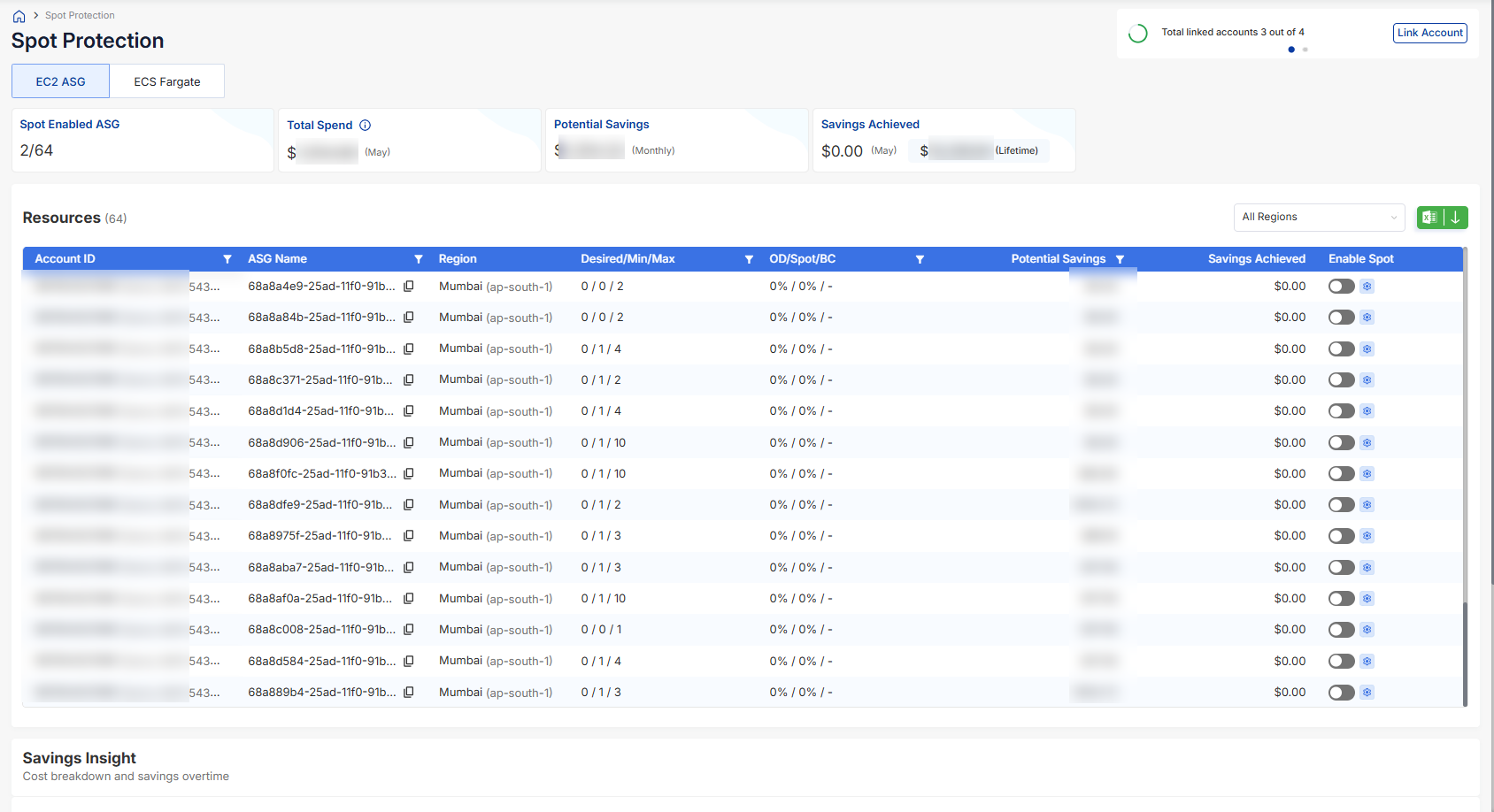
The EC2 ASG dashboard provides centralized visibility into Spot-enabled Auto Scaling Groups across all monitored AWS accounts and regions.
Dashboard metrics include:
- Spot Enabled ASG – Number of Auto Scaling Groups currently protected using Spot
- Total Spend – Current EC2 spend across monitored ASGs
- Potential Savings – Estimated monthly savings opportunity
- Savings Achieved – Actual savings realized through Spot Protection
Resource-Level Visibility
The Resources table provides visibility into all monitored Auto Scaling Groups configured under Spot Protection.
Each row includes:
- AWS Account ID
- ASG Name
- AWS Region
- Desired / Minimum / Maximum Capacity
- On-Demand and Spot Distribution
- Potential Savings
- Savings Achieved
- Spot Protection Enablement Toggle
Users can also filter Auto Scaling Groups region-wise using the Region dropdown.
ASG Eligibility Validation
Before enabling Spot Protection, Tuner automatically validates whether an Auto Scaling Group is eligible for Spot configuration.
Eligibility checks include:
- Instance Type Validation – Confirms Spot market availability for the selected instance type
- AMI Compatibility Check – Ensures the AMI supports Spot workloads
- Launch Template Validation – Ensures the ASG launch template is not already configured to request Spot Instances directly
ASGs that do not satisfy eligibility conditions remain disabled within the dashboard with validation details provided contextually.
How to Enable EC2 ASG Spot Protection
Follow the steps below to configure Spot Protection for Auto Scaling Groups.
1. Open the Spot Protection Dashboard
Navigate to:
Tuner → Spot Protection → EC2 ASG
Review the available Auto Scaling Groups and estimated savings opportunities.
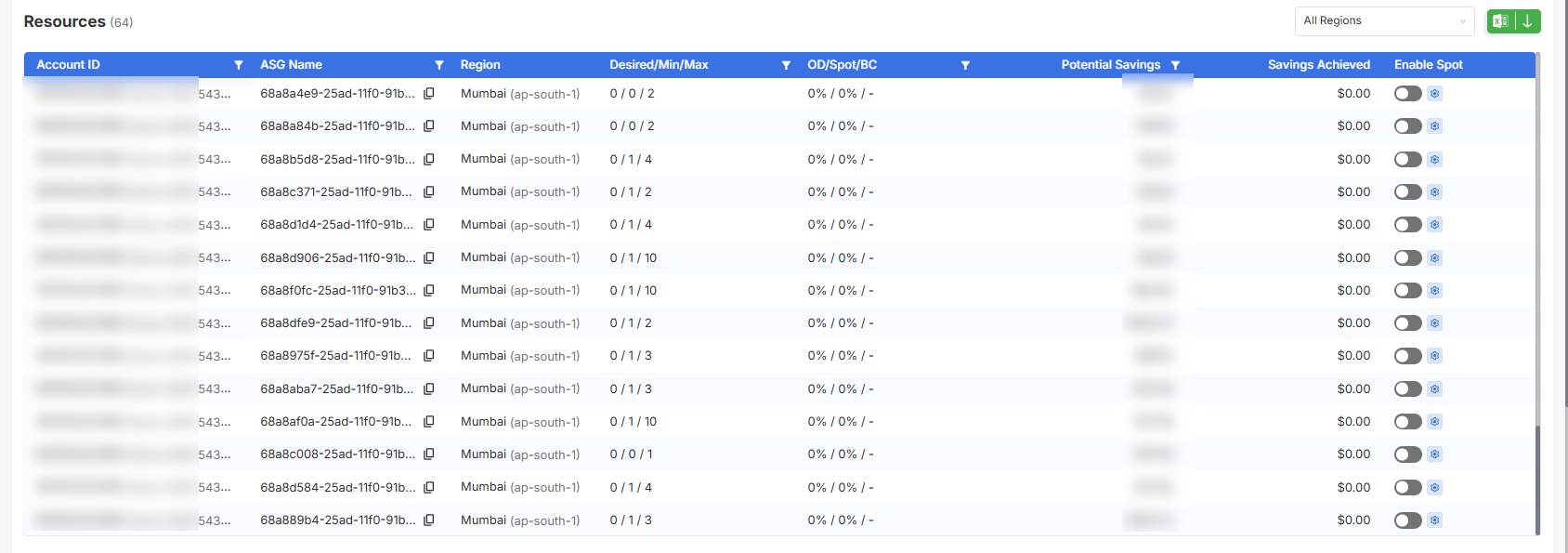
2. Enable Spot Protection
Use the toggle available in the Enable Spot column to activate Spot Protection for the required Auto Scaling Group.
Once enabled, Tuner opens the Spot configuration workflow.
3. Configure Instance Distribution
Define the workload distribution between Spot and On-Demand instances.
Configuration options include:
- % On-Demand – Stable capacity running on standard EC2 pricing
- % Spot – Cost-optimized Spot capacity
- On-Demand Base Capacity – Minimum guaranteed On-Demand instance count
- Fallback to On-Demand – Automatically shifts workloads during Spot interruption events
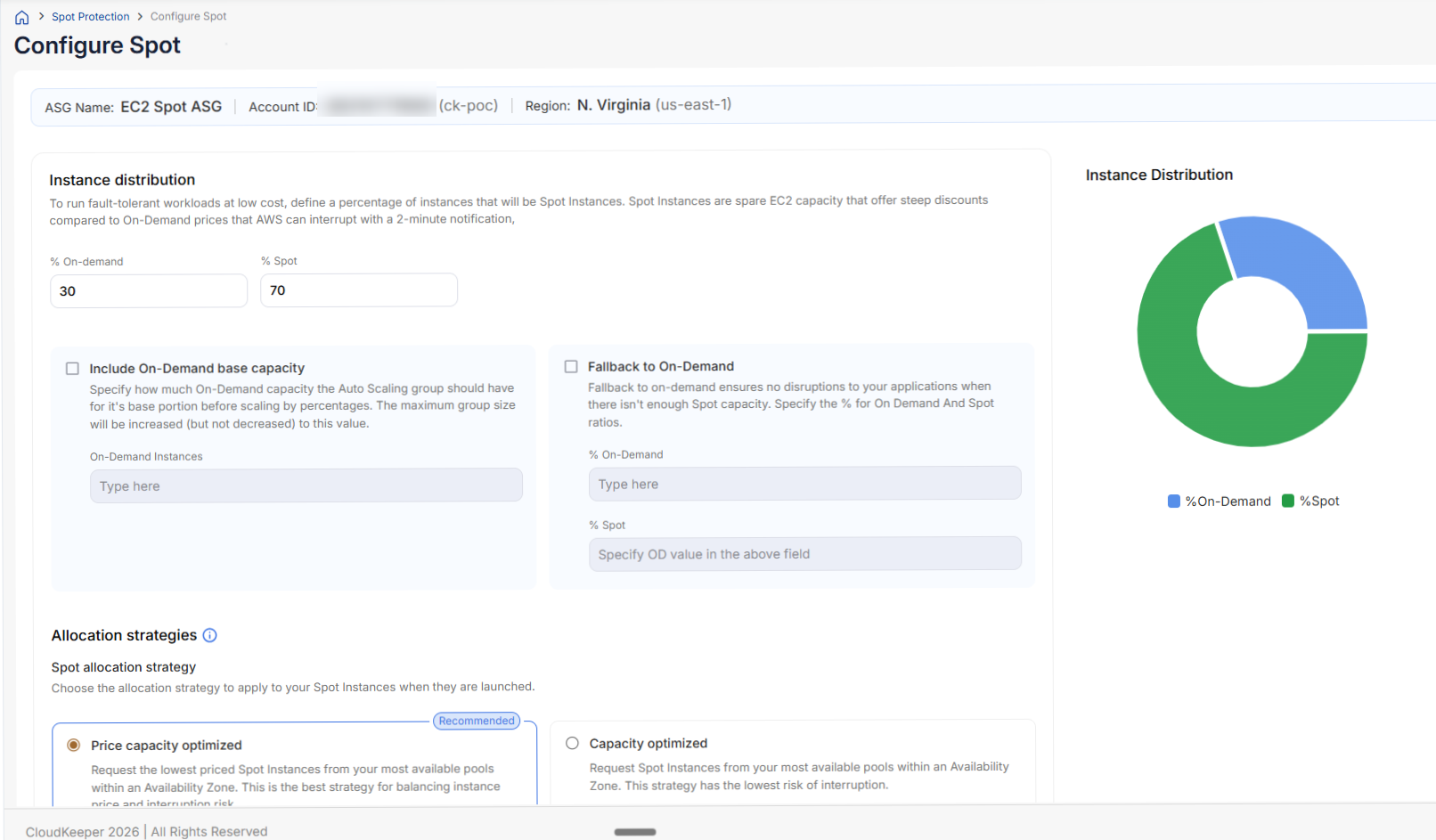
Fallback to On-Demand
Fallback to On-Demand ensures workload continuity when Spot capacity becomes unavailable.
When enabled:
- Tuner automatically shifts workloads to On-Demand capacity during Spot interruptions
- Workloads continue running without manual intervention
- Recovery back to Spot happens gradually once stable capacity becomes available again
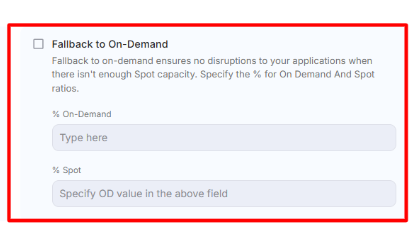
Instance Distribution
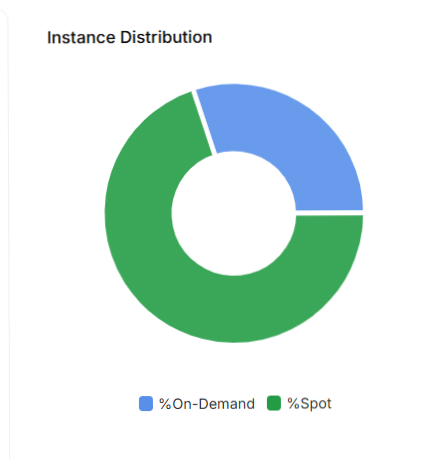
Spot Protection provides visual visibility into the configured workload distribution between Spot and On-Demand capacity. The Instance Distribution chart reflects the configured percentage split and updates dynamically during configuration.
Allocation Strategies
Spot Protection supports multiple allocation strategies for workload placement.
Available strategies include:
- Price Capacity Optimized – Balances pricing and interruption risk
- Capacity Optimized – Prioritizes more stable Spot pools with lower interruption probability
These strategies help improve workload stability while maximizing savings opportunities.
Capacity Rebalancing
Capacity Rebalancing proactively replaces Spot Instances that are at risk of interruption.
When AWS sends interruption notifications, Tuner automatically:
- Launches replacement capacity
- Falls back to On-Demand capacity if required
- Continuously monitors Spot availability
- Gradually restores the configured Spot ratio once stable capacity becomes available again
This minimizes workload disruption while maintaining infrastructure optimization.
What Happens After Enabling
Once Spot Protection is enabled:
- ASGs operate using the configured Spot and On-Demand ratio
- Tuner continuously monitors Spot capacity availability
- Spot interruption events are handled automatically
- Recovery back to Spot capacity happens gradually and safely
- Savings tracking begins automatically in the background
Disabling Spot Protection
Spot Protection can be disabled at any time using the toggle available in the dashboard.
When disabled:
- Spot Protection configuration is removed from Tuner
- The ASG is marked as Spot Protection Disabled
Disabling Spot Protection in Tuner does not automatically revert the Auto Scaling Group configuration inside AWS. Any required rollback must be performed separately within the AWS Console.