ECS Fargate Spot Protection
ECS Fargate Spot Protection helps optimize ECS workload costs by intelligently utilizing AWS Fargate Spot capacity while maintaining application availability and workload continuity.
Spot Protection continuously monitors Spot capacity and automatically manages workload balancing between Spot and On-Demand tasks to maximize savings with minimal operational effort.
Spot Protection Dashboard Overview
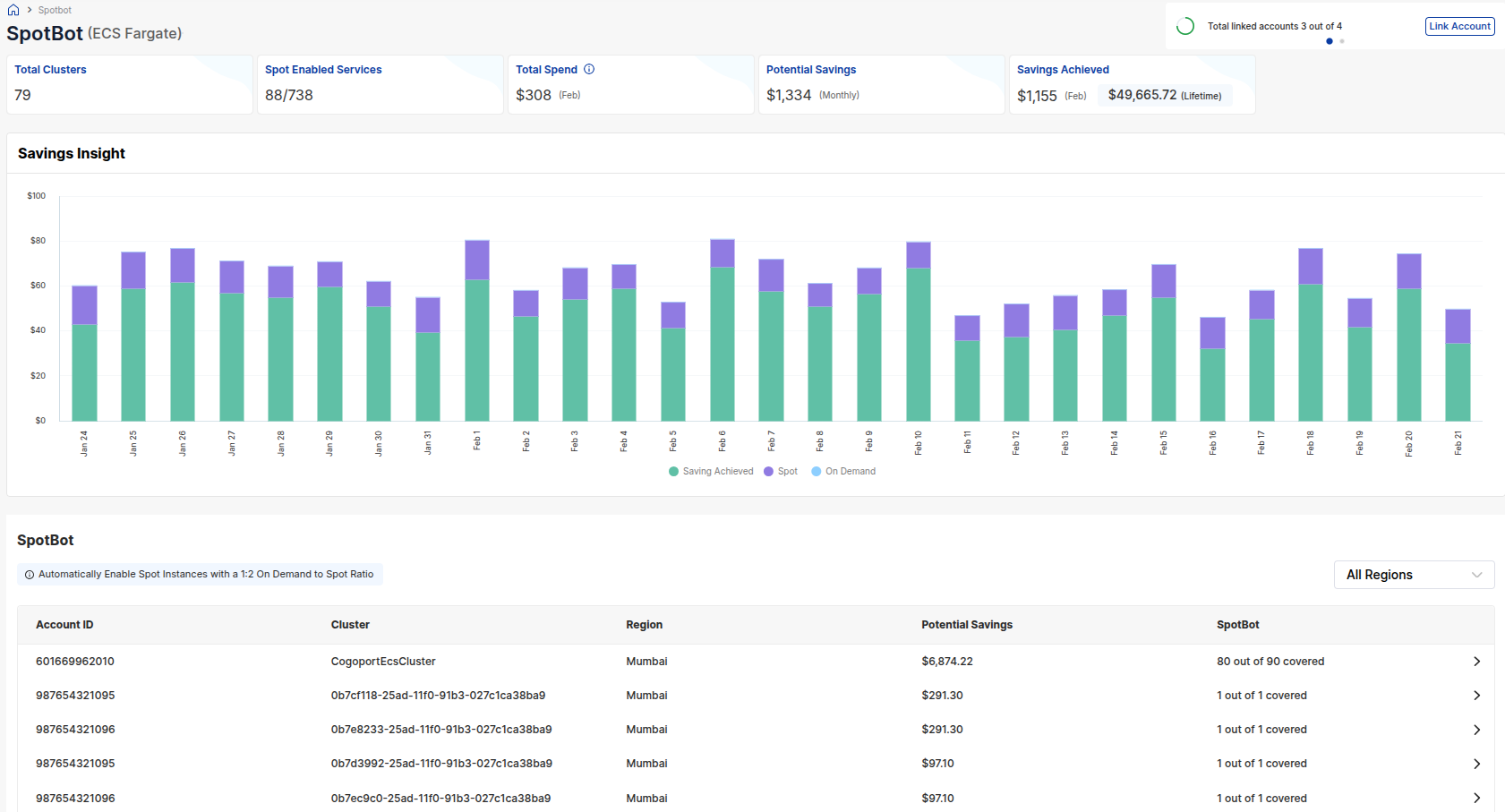
The ECS Fargate dashboard provides a summarized view of Spot-enabled ECS workloads, savings opportunities, and usage insights across all monitored clusters.
Dashboard metrics include:
- Total Clusters – Number of ECS clusters detected
- Spot Enabled Services – Services currently utilizing Spot capacity
- Total Spend – Forecasted ECS workload spend
- Potential Savings – Estimated monthly savings opportunity
- Savings Achieved – Savings realized through Spot utilization

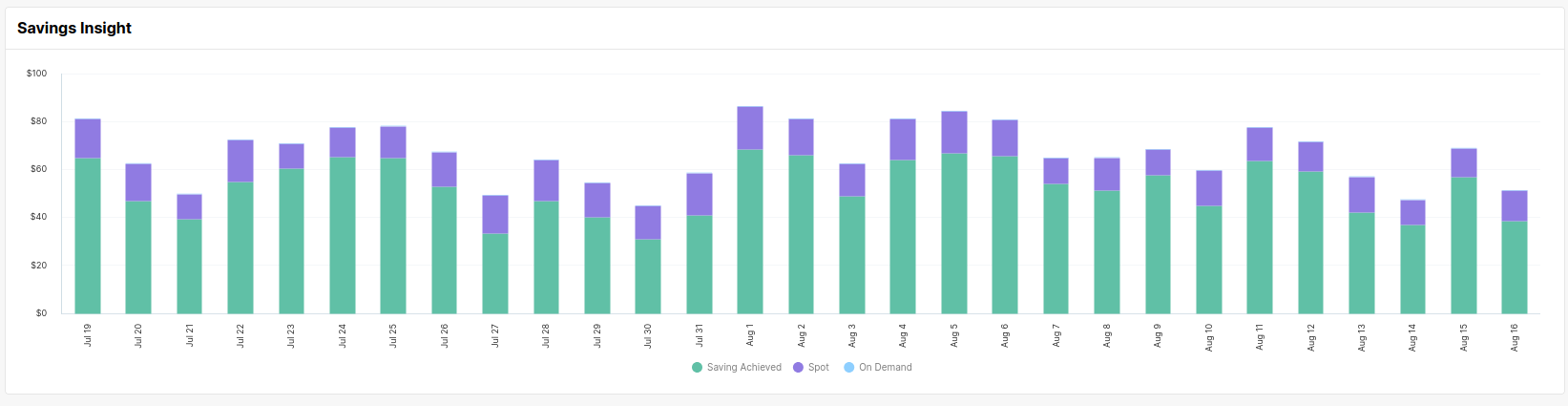
Savings Insight
The Savings Insight graph provides a daily cost and savings breakdown for ECS Spot workloads.
The graph tracks:
- Savings Achieved
- Spot Spend
- On-Demand Spend
This helps monitor workload behavior, Spot utilization trends, and overall savings performance over time.
Cluster-Level Details
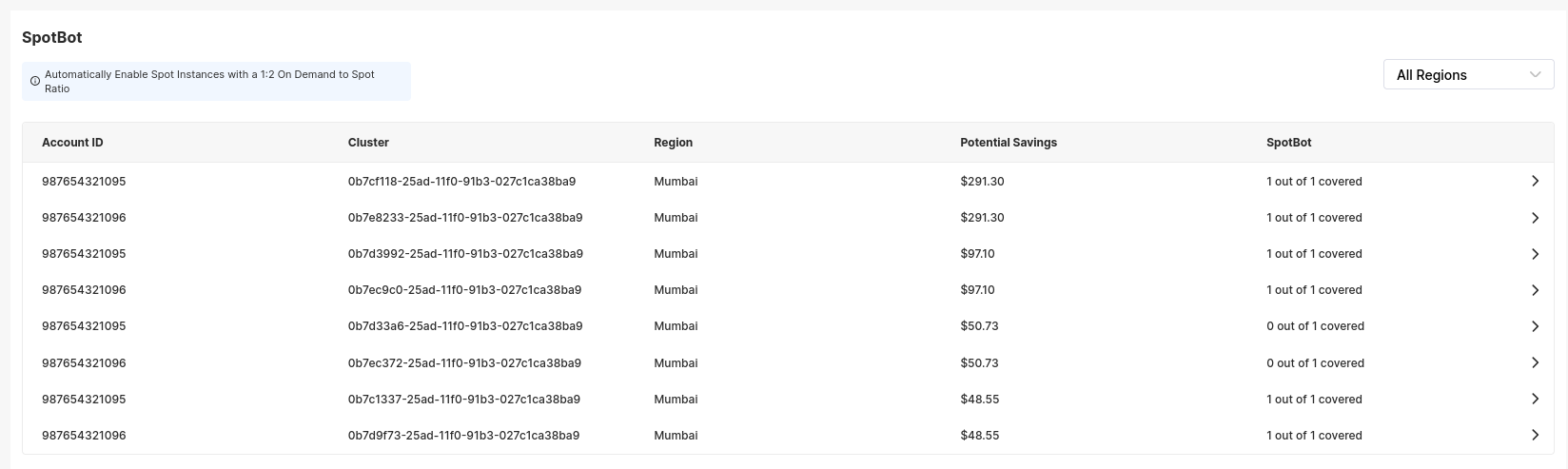
The cluster table provides visibility into ECS clusters currently monitored under Spot Protection.
Each row includes:
- AWS Account ID
- ECS Cluster Name
- AWS Region
- Potential Savings
- Spot-enabled service coverage
Clusters can also be filtered region-wise using the Region dropdown.
Service-Level Configuration
Expanding a cluster displays all associated ECS services configured within the cluster.
Each service includes:
- Service ID
- Total Tasks
- Spot and On-Demand task distribution
- Potential Savings
- Spot Protection enablement toggle
This allows selective Spot activation for individual ECS services.

How to Enable ECS Fargate Spot Protection
Follow the steps below to activate Spot Protection for ECS Fargate workloads.
1. Configure Account Access
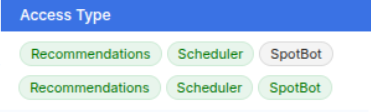
Ensure the required permissions and account access levels are configured under:
Tuner → Accounts
This allows Spot Protection to manage ECS workload orchestration and Spot balancing.
2. Open the Spot Protection Dashboard
Navigate to:
Tuner → Spot Protection → ECS Fargate
Review the available ECS clusters and savings opportunities.
3. Enable Spot Protection for Services
Expand a cluster and enable Spot Protection for the required ECS services using the toggle available in the service table.

Once enabled, Spot Protection continuously monitors workload behavior and automatically manages Spot utilization to optimize ECS infrastructure costs.