Auto Remediation Logs
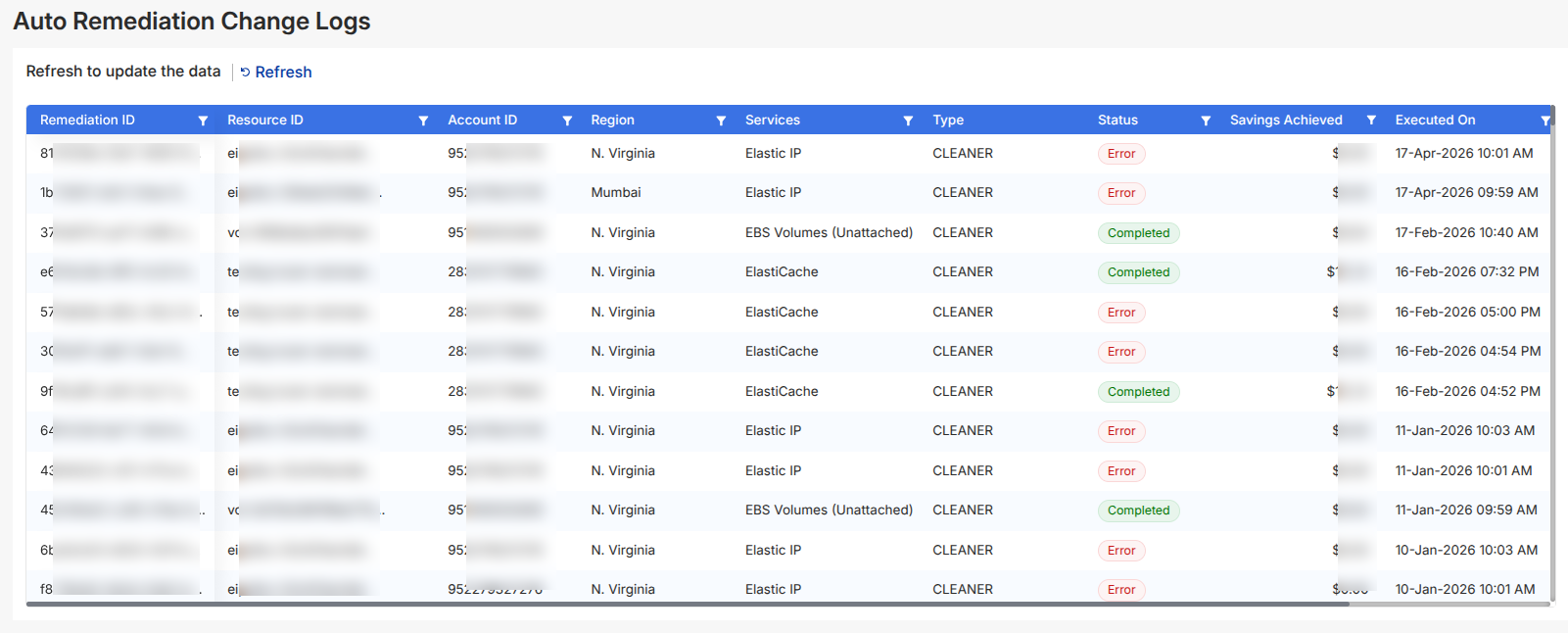
The Auto Remediation Logs section provides a complete record of all automated actions performed by CloudKeeper Tuner.
It helps you track what was executed, what succeeded, and what failed.
Auto Remediation is executed per account, ensuring controlled and safe operations.
Overview
The page displays a structured table of all remediation activities, including:
- Remediation ID
- Resource ID / Account ID
- Region & Service
- Type (e.g., Cleaner)
- Status
- Savings Achieved
- Executed On
Understanding Logs
Each entry includes resource details, action type, execution status, savings achieved, and system messages for debugging.
Understanding Status
Each remediation is marked with a status badge:
Completed
- The action was successfully executed
- Savings (if applicable) are reflected
Error
- The remediation failed or could not complete
- No savings are applied
Message & Error Details
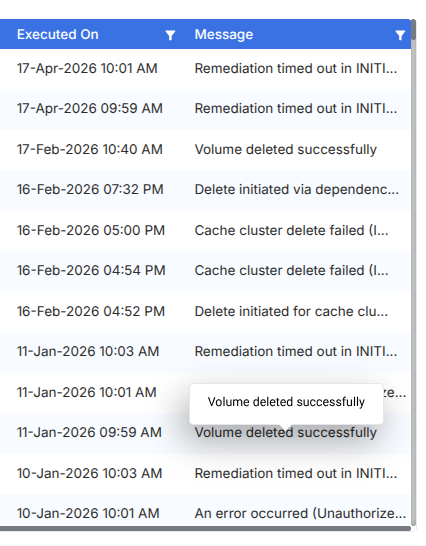
Each log entry includes a Message field that explains the outcome.
Examples:
- Remediation timed out
- Unauthorized operation
- Resource deleted successfully
Filters & Controls
You can refine and navigate logs using:
- Column Filters – Available on each column header
- Sorting – Quickly organize by status, savings, or time
- Refresh – Update the table to fetch the latest logs