Savings Achieved
The Savings Achieved section provides a consolidated view of all realized cost savings from remediation actions. It highlights what optimizations were applied and the value generated.
Pro Tip
Use this section to measure the actual impact of your optimization efforts, not just potential savings.
Overview
At the top of the page, summary cards provide a quick snapshot:
- Total Savings Achieved (Monthly & Lifetime)
- Total Recommendations
- Total Auto Remediated
- Total Externally Remediated

Date Filter
You can filter savings data based on a selected time range.
- Helps analyze recent vs historical savings
- Useful for tracking performance across reporting periods
Savings Table
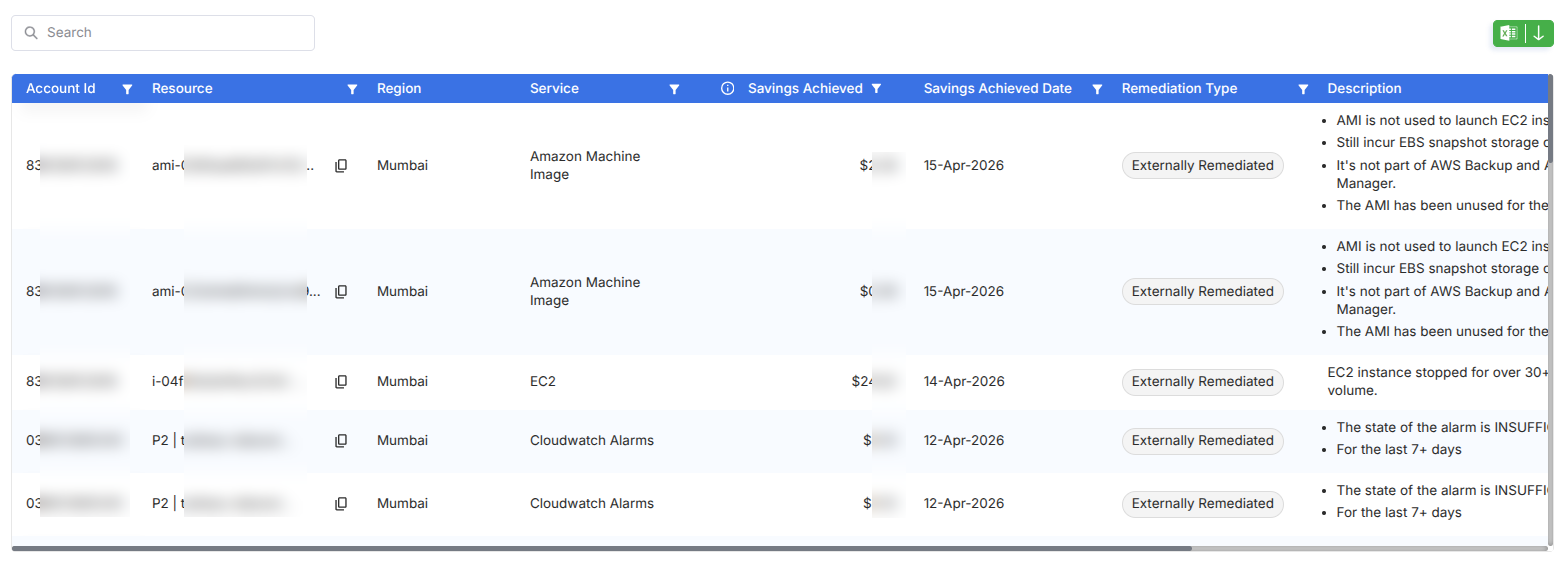
The table provides a detailed breakdown of each successful optimization:
- Account ID & Resource
- Region & Service
- Savings Achieved
- Savings Achieved Date
- Remediation Type
- Description
Remediation Types
Each entry is categorized based on how the action was completed:
Auto Remediated
- Action executed directly via CloudKeeper
- No manual intervention required
Externally Remediated
- Action completed outside the platform
- Typically implemented by engineering teams
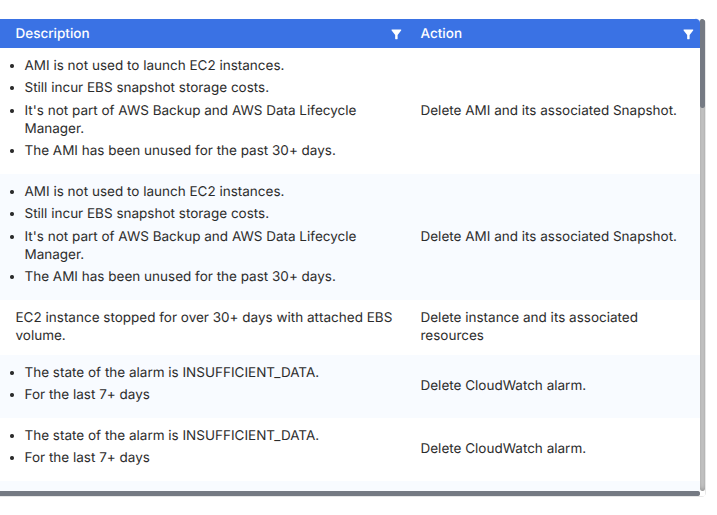
Description & Actions
Each entry includes contextual details such as:
- Why the recommendation was triggered
- What issue was identified
- What action was taken
Examples:
- Removing unused AMIs
- Deleting idle EC2 instances
- Cleaning up unused CloudWatch alarms
Filters & Controls
- Search Bar – Quickly find specific resources
- Column Filters – Available on each column
- Export Option – Download savings data
- Date Range Selector – Analyze savings over time