Recommendation Insights
The Insights section provides a consolidated view of all cost-saving recommendations across your AWS environment.
It helps you understand where you are spending, where you can save, and what actions to take—all in one place.
Overview
At the top of the page, you’ll find key metrics:
- Total Spend (Forecasted)
- Potential Savings (Monthly)
- Savings Achieved
- Resources Scanned
- Total Recommendations

Recommendation Breakdown
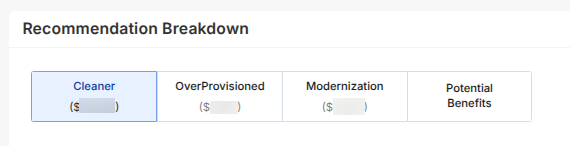
Recommendations are grouped into four categories:
- Cleaner
- OverProvisioned
- Modernization
- Potential Benefits
Each category represents a different type of cost optimization opportunity. Within each category, recommendations are grouped by service.
Cleaner
Focuses on unused or idle resources that can be safely removed.
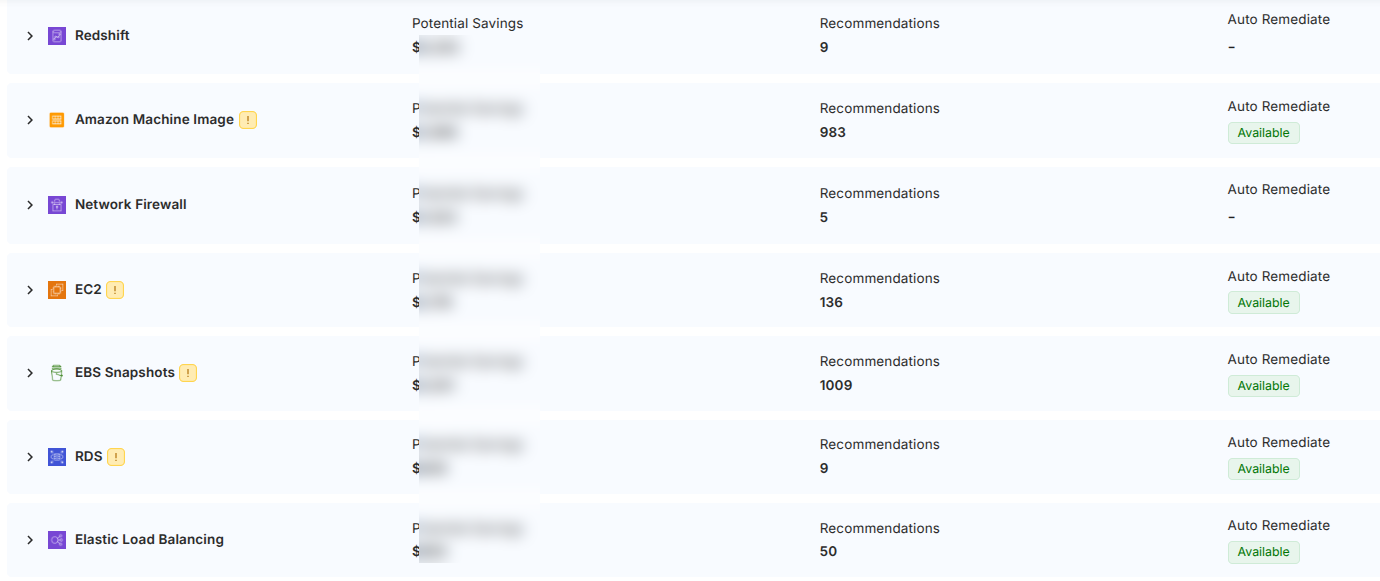
What you’ll see:
- Services with unused resources (EC2, EBS, etc.)
- Potential savings per service
- Recommendation count
- Auto Remediation availability
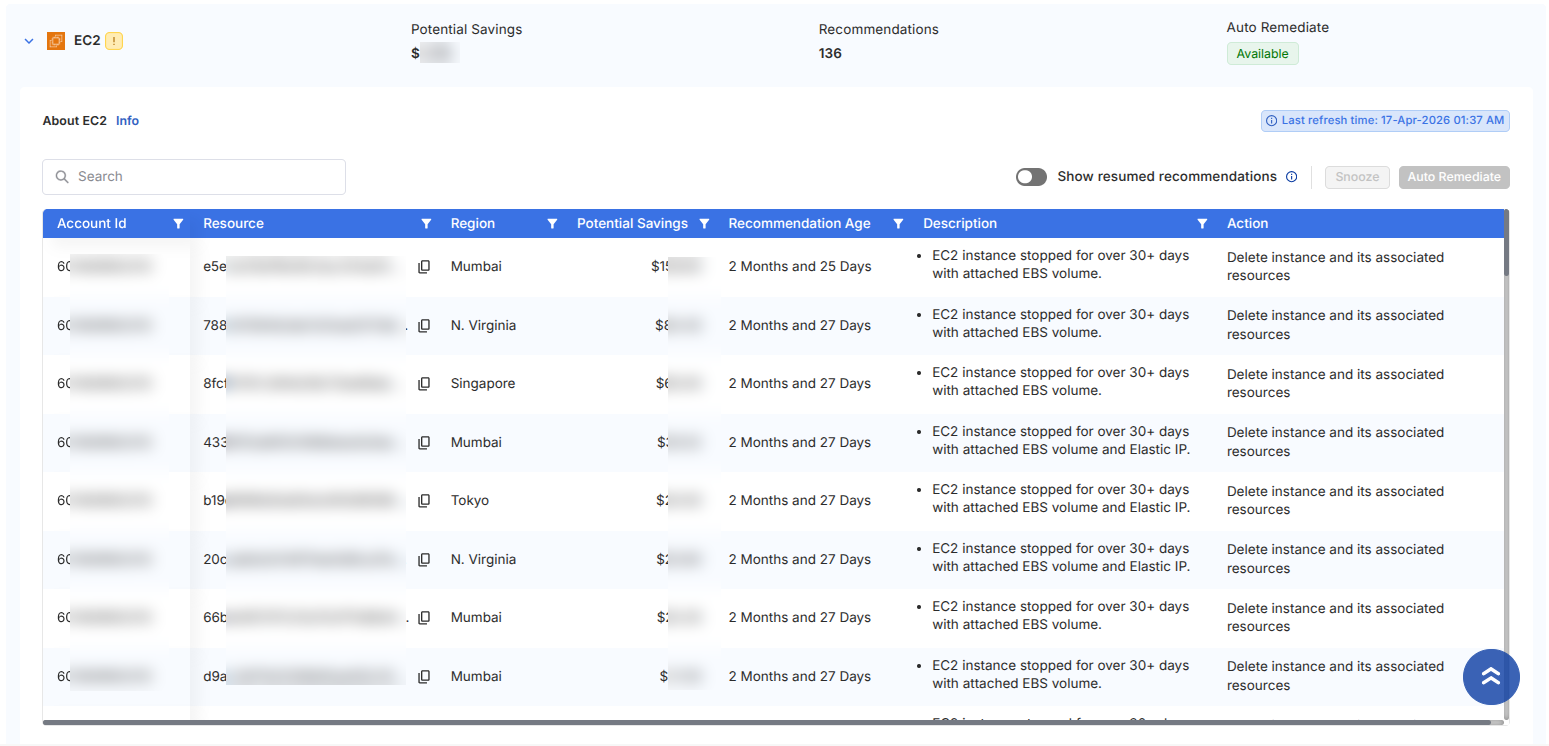
Expanding a service reveals a detailed table:
- Account ID & Resource
- Region
- Potential Savings
- Recommendation Age
- Description
- Action
OverProvisioned
Highlights resources that are over-sized or underutilized.

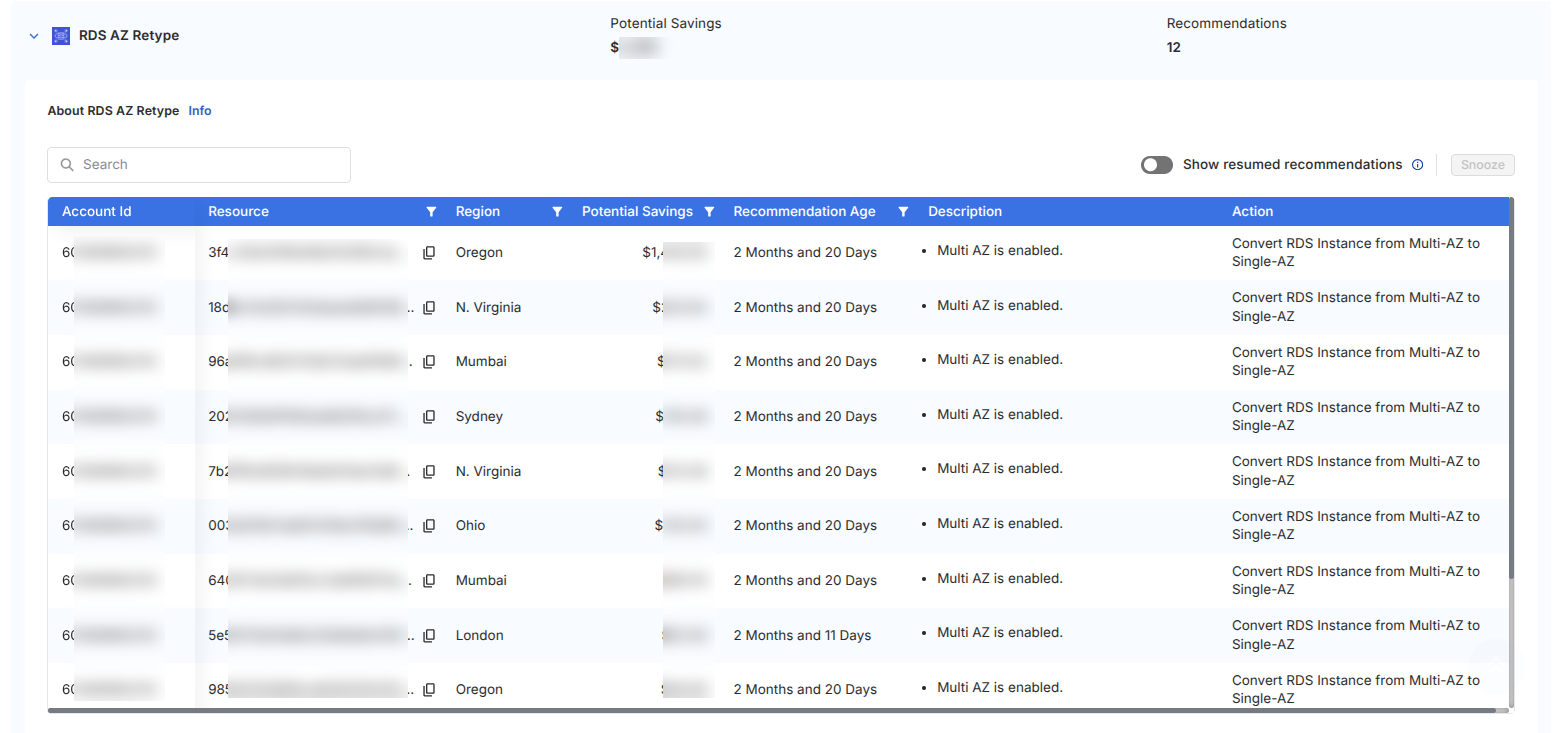
What you’ll see:
- Services where resource capacity exceeds usage
- Potential savings from resizing
- Recommendations for optimization
Typical action:
- Resize or downgrade resources to match actual usage
Modernization
Suggests upgrades or architecture improvements.
What you’ll see:
- Services using outdated configurations or versions
- Recommendations for newer, cost-efficient alternatives
Typical action:
- Upgrade or migrate to optimized configurations
Potential Benefits
Shows additional optimization opportunities based on configuration changes.
These recommendations focus on long-term cost efficiency and prevention, rather than instant savings.

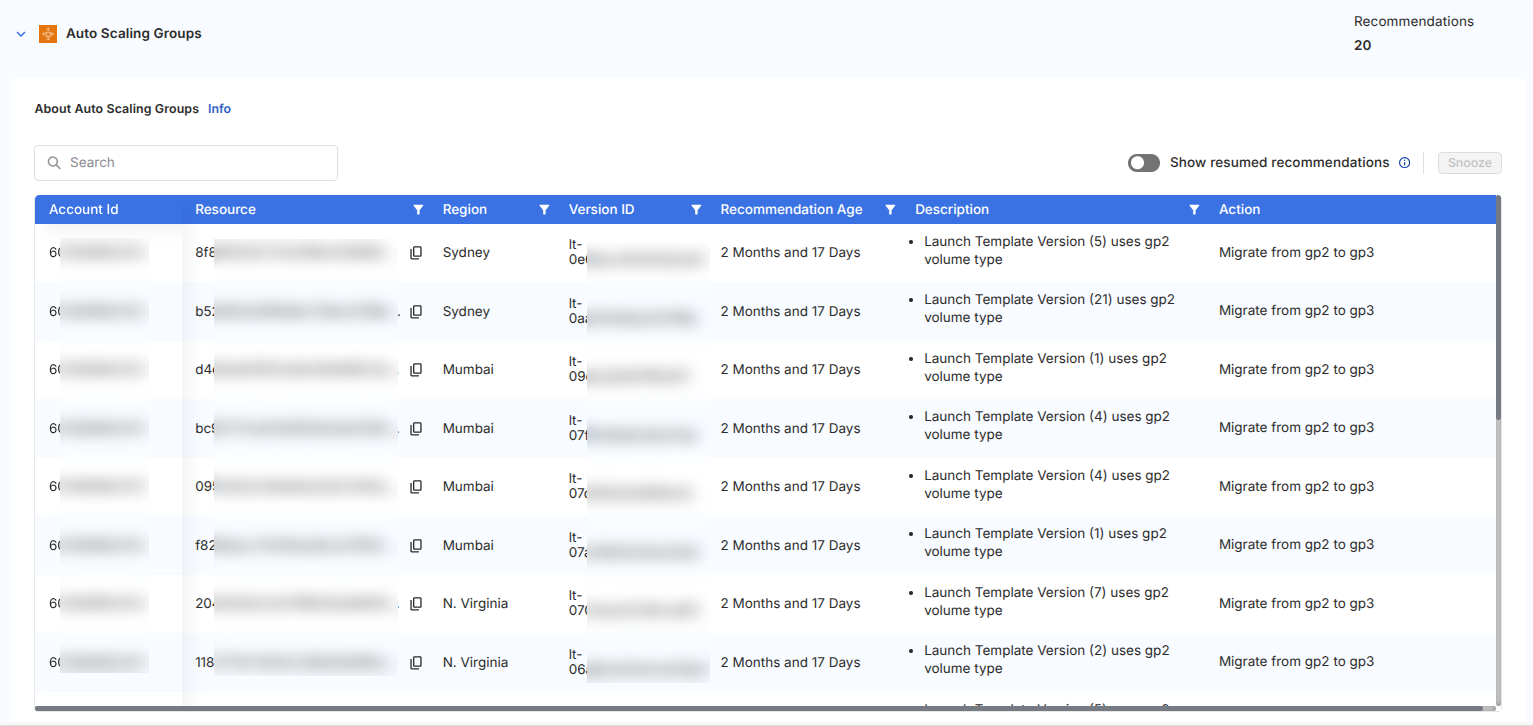
What you’ll see:
- Policy improvements
- Lifecycle optimizations
- Configuration-based savings
Typical action:
- Apply configuration changes to reduce long-term costs
- Cleaner supports Auto Remediation since resources are unused and safe to remove
- OverProvisioned / Modernization / Potential Benefits require manual review to avoid impacting workloads
Available Actions
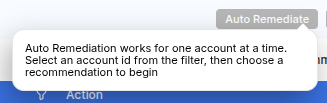
Auto Remediate
Automatically applies the recommended action on selected resources.
- Removes unused resources (Cleaner category)
- Executes predefined optimization actions
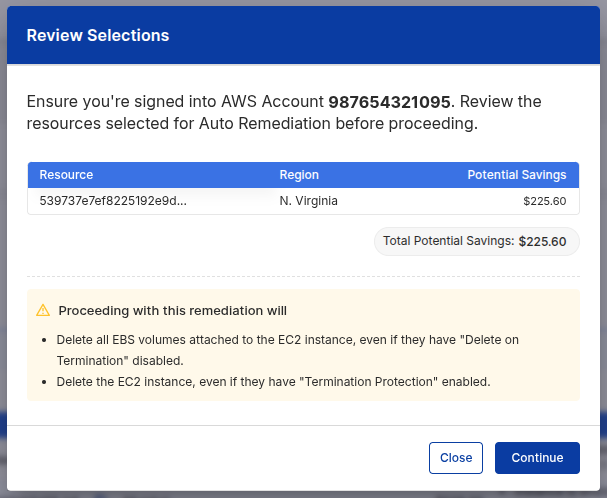
- Displays a confirmation modal before execution
Auto Remediation performs direct changes to your resources. Always review the confirmation details before proceeding.
Snooze
Temporarily hides recommendations you are not ready to act on.
- Set a snooze duration
- Add an optional reason
- Moves items to the Snoozed List
Use Snooze for resources that are intentionally retained (e.g., DR, compliance, temporary usage).
Show Resumed Recommendations
Toggle to view recommendations that were previously snoozed and are now active again.
- Helps track items that need re-evaluation
- Ensures nothing important is missed
Action Flow
When performing actions on recommendations:
- A confirmation dialog appears before execution
- It summarizes:
- Selected resources
- Estimated savings
- Actions to be performed
This ensures visibility and prevents unintended changes.
Additional Controls
- Region Filter – Filter recommendations by region
- Export Options – Download data
- Last Refresh Time – Shows when data was last updated