Cleaner Recommendations
The Cleaner Recommendations section in CloudKeeper Tuner focuses on identifying unused or idle AWS resources that can be removed to achieve immediate cost savings.
These recommendations typically include unused EC2 instances, idle load balancers, outdated EBS snapshots, and other resources that no longer contribute to workloads.
Overview of Cleaner Recommendations
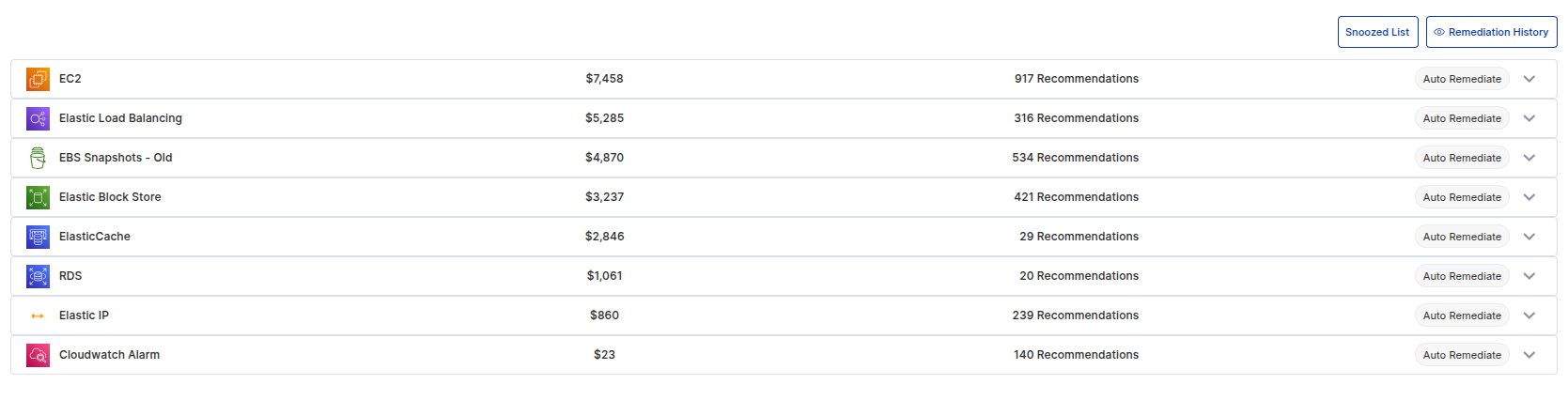
Cleaner recommendations are grouped by service (e.g., EC2, Elastic Load Balancing, Elastic Block Store).
For each service, the dashboard displays:
- Potential Savings for removing idle resources.
- Number of Recommendations detected for the service.
- Auto Remediation Option to take immediate action.
EC2 Cleaner Recommendations
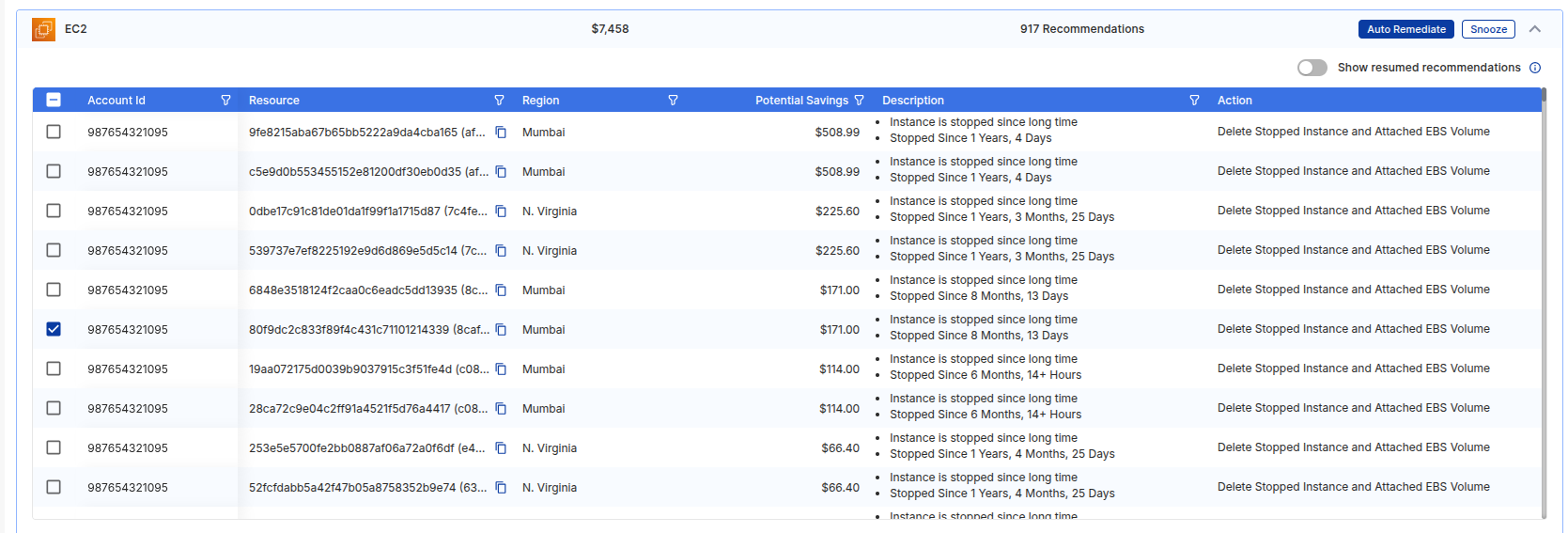
For EC2, the dashboard lists instances that have been idle for extended periods.
Details provided include:
- Account ID and Resource ID for identification.
- Region where the resource is located.
- Potential Savings achievable by removing the resource.
- Description with usage history (e.g., "Instance stopped since 1 year, 4 days").
- Action (e.g., "Delete Stopped Instance and Attached EBS Volume").
You can either Auto Remediate to remove the resource immediately or Snooze to revisit it later.
Individual Recommendation Actions: Auto Remediation & Snooze
In addition to service-level actions, you can select individual recommendations for more granular control.
For each selected recommendation, you can:
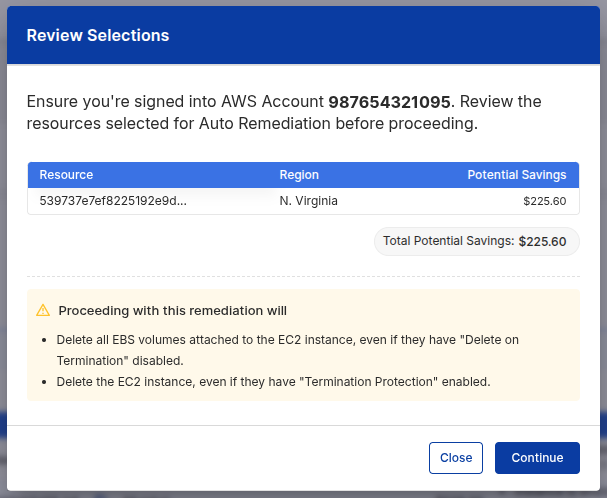
- Auto Remediate: Trigger the automatic deletion of unused instances and their attached resources (e.g., EBS volumes).
- A confirmation window appears, summarizing the resources selected and the savings potential.
- The window also highlights actions that will be performed during remediation (e.g., deleting instances with termination protection).
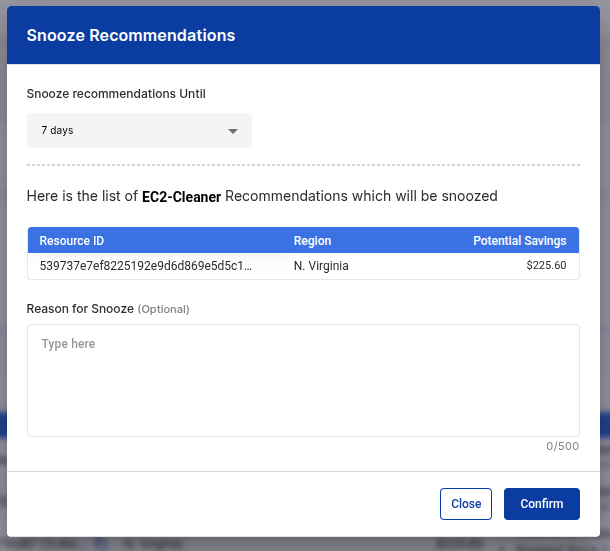
- Snooze: Temporarily hide recommendations you are not ready to act on.
- You can specify a snooze duration (e.g., 7 days) and provide an optional reason.
- Snoozed items will move to the Snoozed Recommendations list for later review.
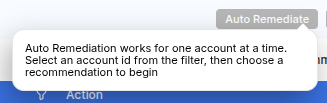
Additionally, hovering over the Auto Remediation button provides guidance:
Elastic Load Balancer Cleaner Recommendations
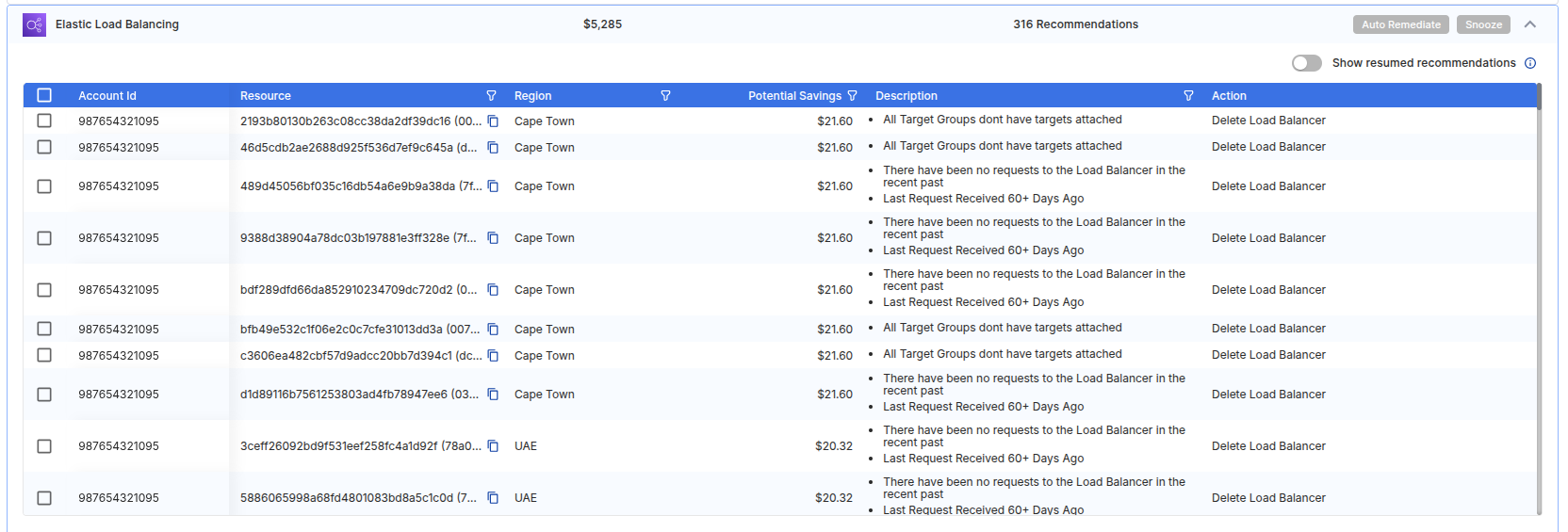
The dashboard also detects idle or underused Elastic Load Balancers (ELBs).
For example, load balancers without attached targets or no recent requests will be flagged.
- Recommendations include decommissioning idle ELBs to save costs.
- Actions are similar: Auto Remediate or Snooze.
Key Features
- Auto Remediation: Quickly act on recommendations directly from the dashboard. Auto Remediation is only in the Cleaner section because those resources are truly unused and safe to remove. For other recommendations, like rightsizing or modernization, we want customers to review the workloads before making changes. This ensures nothing critical is removed and no data loss occurs. This way, your workloads are always protected, and only informed decisions are taken.
- Snooze Option: Hide recommendations temporarily to review later in the Snoozed List.
- Service-wise Breakdown: Understand savings potential for each AWS service.
Cleaner Recommendations provide the quickest path to immediate AWS cost reduction by targeting resources that are no longer required.