Remediation History
The Remediation History section provides a detailed log of all Auto Remediation actions performed through CloudKeeper Tuner.
This helps track optimization activities, monitor success rates, and identify any issues encountered during execution.
Overview of Remediation History
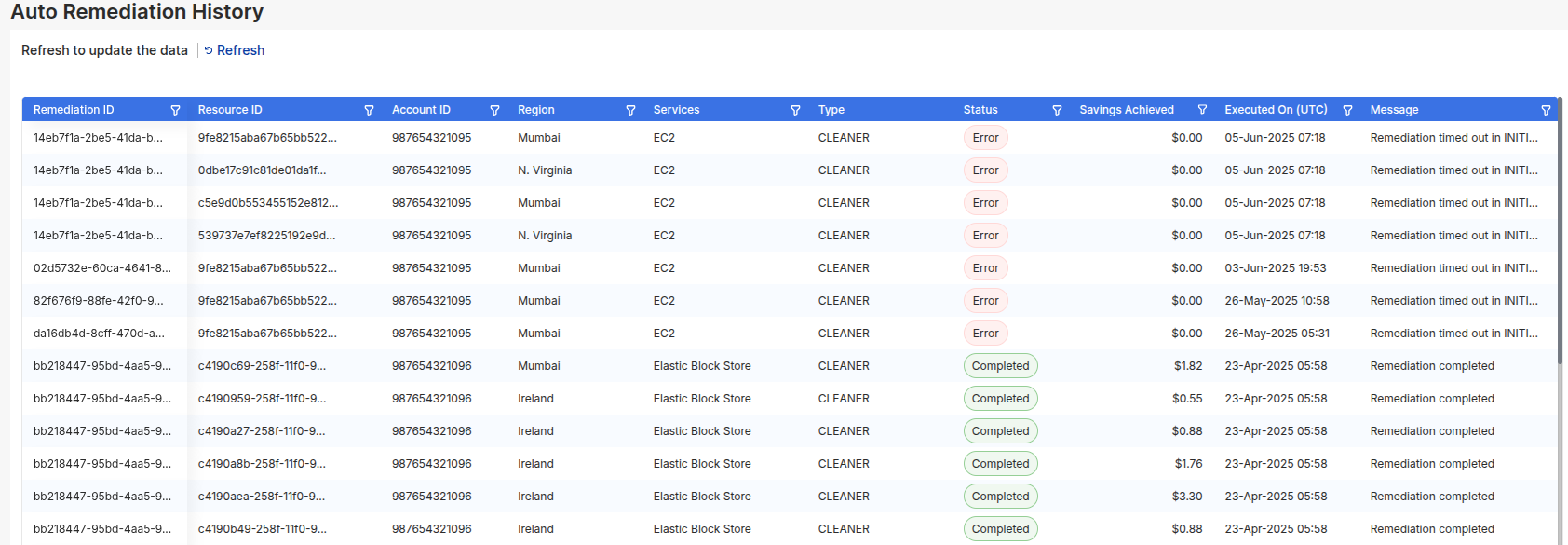
Each entry in the remediation history table includes:
- Remediation ID – Unique identifier for the remediation action.
- Resource ID – The AWS resource on which the action was applied.
- Account ID – The AWS account where the resource resides.
- Region – The AWS region of the resource.
- Service – The service (e.g., EC2, ELB, EBS) targeted by the remediation.
- Type – The type of action performed (e.g., Delete, Downsize, Upgrade).
- Status – Shows whether the action was successful or failed.
- Savings Achieved – The cost savings realized by applying the remediation.
- Execution Time – Timestamp of when the remediation was executed.
- Messages – Additional notes or error messages related to the action.
Status Indicators
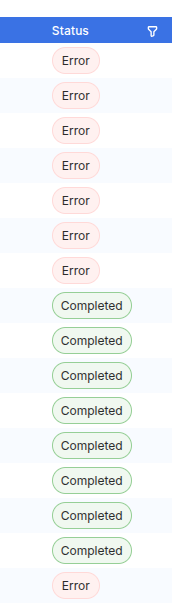
The status column clearly reflects the outcome of each remediation:
- Completed – The action was successfully applied.
- Error – The remediation encountered an issue (details provided in the message column).
Key Features
- Audit Trail: Complete visibility into all remediation actions taken.
- Savings Tracking: View cost savings achieved for each successful remediation.
- Error Insights: Detailed error messages help troubleshoot failed actions.
The Remediation History page ensures full transparency of optimization efforts, enabling teams to track actions and continuously improve their cost management strategy.